CZUR ET Max overhead book scanner positioned above an open bound book

Travel & Work Gear / Product review

CZUR ET Max Review: Is This High-End Book Scanner Worth It for Bound Books?

A fast overhead scanner built for people digitizing bound books, archives, journals, and large batches of paper - with capable hardware, useful automation, and software that deserves closer scrutiny before you buy.

Last updated

01 / Quick answer

Quick Answer

The CZUR ET Max makes the most sense for people who regularly scan bound books and want to avoid pressing pages onto a flatbed or cutting bindings apart. Its 38MP overhead camera, laser-assisted curve flattening, page splitting, OCR, foot-pedal control, and A3 document support are all aimed at reducing the repetitive work involved in book digitization.

The hardware proposition is strong. Independent reviews consistently highlight fast capture, sharp document images, and a much smoother workflow for books than a conventional flatbed. The bigger caution is the software layer. Amazon feedback is positive overall, but recent ET Max owners also report macOS stability issues, OCR mistakes, image-processing artifacts, and curve correction that sometimes needs manual cleanup.

02 / Fit

Who Is the CZUR ET Max For?

The ET Max is not a general-purpose scanner that happens to work with books. Its strongest use case is the opposite: it is a book-focused overhead scanner that can also handle documents, artwork, records, and other flat materials.

That distinction matters because overhead scanning solves a different problem from a sheet-fed or flatbed scanner. Instead of pulling paper through rollers or pressing a book against glass, the ET Max photographs the material from above. For bound books, that can preserve the spine and make repeated page turning far more practical.

The strongest fit is for users such as:

  • researchers digitizing books, journals, and reference material;
  • genealogy or family-archive projects involving old volumes and records;
  • small libraries, offices, and educational teams scanning bound material repeatedly;
  • collectors digitizing out-of-print books without cutting the binding;
  • users who need A3-size document capture in addition to books;
  • anyone whose current flatbed workflow is slowed down by lifting, repositioning, and flattening pages manually.

For occasional receipts, contracts, or loose office pages, however, the ET Max is harder to justify. A conventional document scanner may take less desk space and require less post-processing for those jobs.

03 / Hardware

What Makes the ET Max Different From a Regular Scanner?

The ET Max uses a 38-megapixel overhead camera rather than a flat scanning bed. CZUR lists a default optical resolution of 410 dpi, support for documents up to A3 size, and a capture time as fast as about 1.5 seconds per scan under suitable conditions.

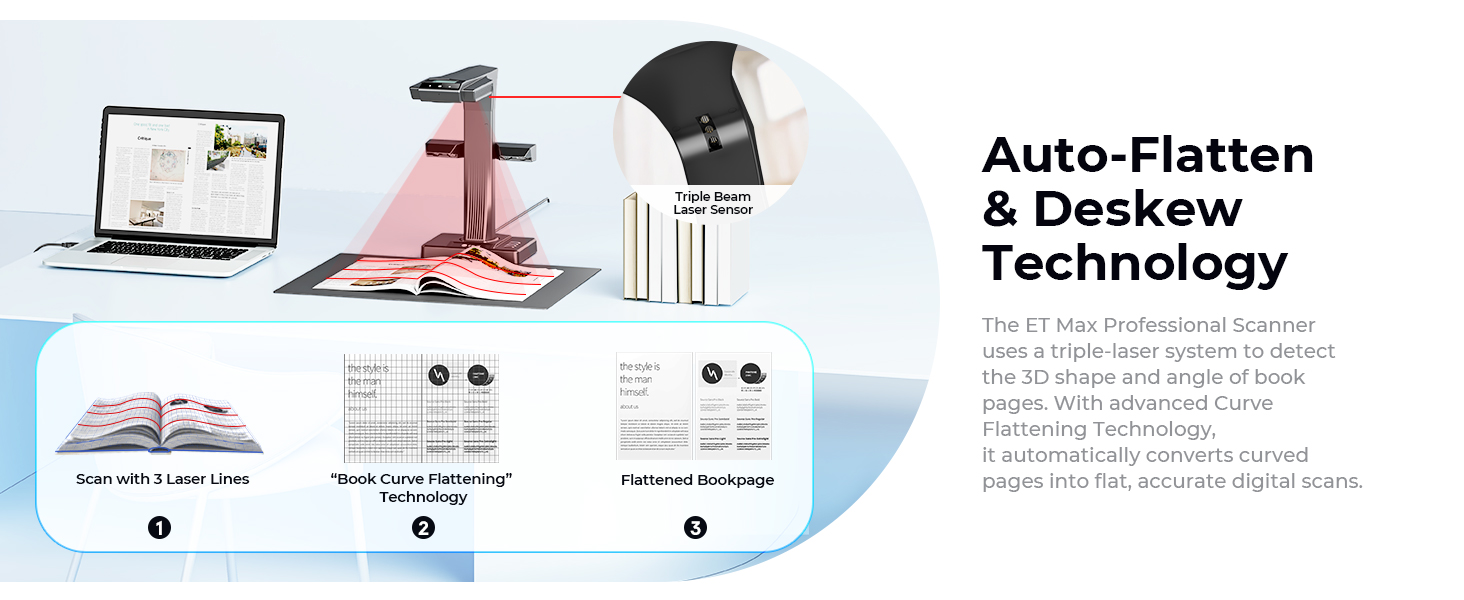
The more important feature for books is the laser-assisted curve-flattening system. When a book is open, the pages naturally bend near the spine. The scanner projects laser lines across the surface, then software uses that shape information to correct the captured page into a flatter digital image.

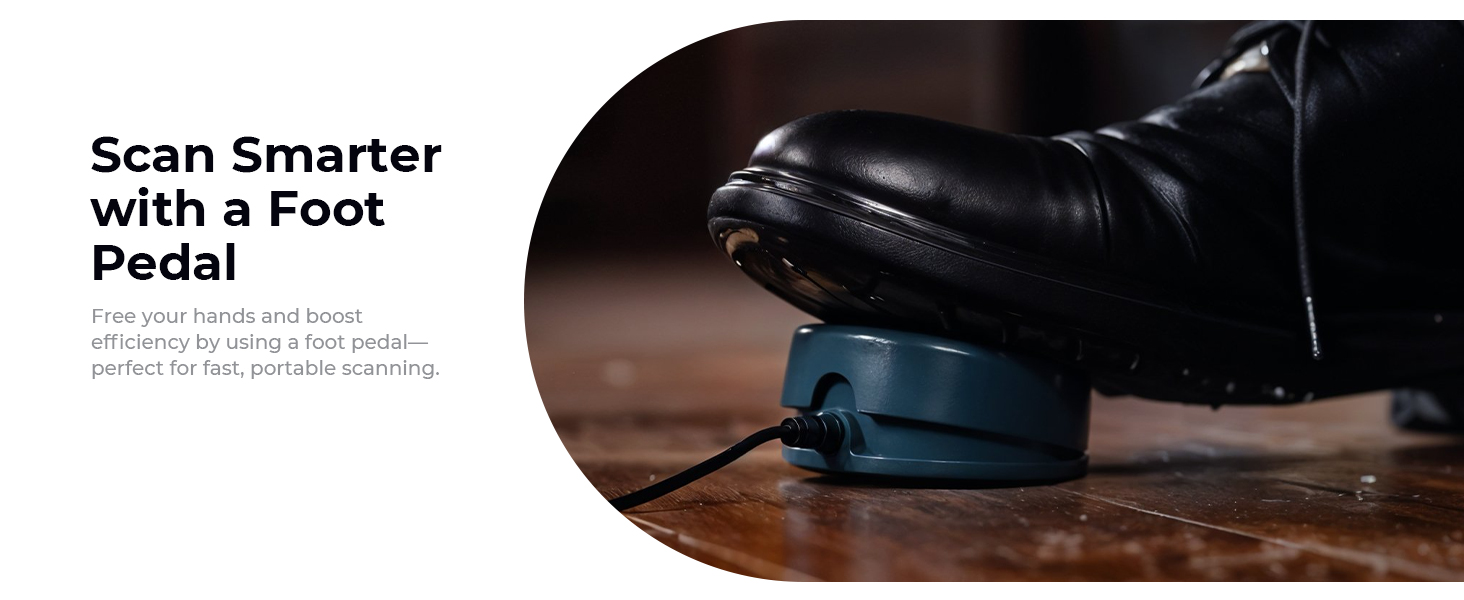
CZUR also includes automatic page splitting, page-turn detection, finger removal, cropping, deskewing, OCR, multiple color modes, and several ways to trigger a scan, including the software, a button, and a foot pedal.

Those features are designed to reduce repetitive corrections after every page turn. They are the main reason to buy an ET Max instead of simply mounting a camera above a desk.

CZUR ET Max laser-assisted curve flattening for bound book pages

04 / Bound books

Scanning Bound Books: The ET Max's Strongest Use Case

This is where the ET Max has the clearest advantage.

With a flatbed scanner, a thick book usually requires some combination of pressing the book flat, rotating it, repositioning each page, and waiting for a scan cycle. A sheet-fed scanner is faster for loose sheets but cannot process a bound book without removing the pages first.

The ET Max lets the book stay open on the scanning mat. You turn the page, trigger or automate the next capture, and continue. The included foot pedal is especially useful in this workflow because your hands can remain on the book while your foot triggers the scan.

Independent testing supports the basic idea. Notebookcheck found the ET Max fast and easy to use, with sharp document images and responsive processing. Fossbytes also reported a straightforward scanning workflow and strong results when digitizing hardcover books. The Gadgeteer was more cautious: it found the ET Max useful for bound-book digitization but noted that automatic unwarping could still be inaccurate, particularly with difficult books.

That combination is the realistic expectation to set. The ET Max can remove a large amount of repetitive work, but it does not make every curved page perfect automatically.

How reliable is curve flattening?

Curve flattening should be treated as an automation tool, not a guarantee.

When the book opens cleanly, lighting is controlled, and the pages stay within the expected scanning area, the system can substantially reduce the distortion you would otherwise correct manually. But difficult gutters, small books, glossy pages, unusual page geometry, or hands placed too close to the content can create errors.

Recent Amazon feedback also includes owners who report page alignment problems, skewed output, or correction results that still require editing. Those reports do not erase the positive majority, but they matter because curve correction is one of the primary reasons to pay for this type of scanner.

If your workflow demands publication-ready reproductions with almost no manual cleanup, plan for a verification step after scanning rather than assuming the software will always produce a finished page.
05 / Scan quality

Scan Quality: Sharp for Documents, but Know What 'Professional' Means

The ET Max's 38MP camera and 410 dpi default optical resolution give it enough detail for text-heavy books, documents, reference material, and many archive projects. Notebookcheck praised the sharpness of document captures, and current Amazon feedback also includes positive comments about image quality and scanning capability.

But an overhead CMOS camera and a high-end flatbed or archival imaging system do not produce images in exactly the same way.

The ET Max is optimized around speed, non-contact capture, page processing, and OCR. If your priority is faithful photographic reproduction of fine art, rare illustrations, or color-critical originals, you should evaluate image quality separately from document readability.

The current Amazon review summary reflects that split: scanning speed and scanning capability trend positive, while image quality is more mixed. That does not mean the images are poor. It means buyers expecting a premium book-digitization workflow may have higher standards than buyers simply trying to make readable PDFs.

Glossy pages and reflections

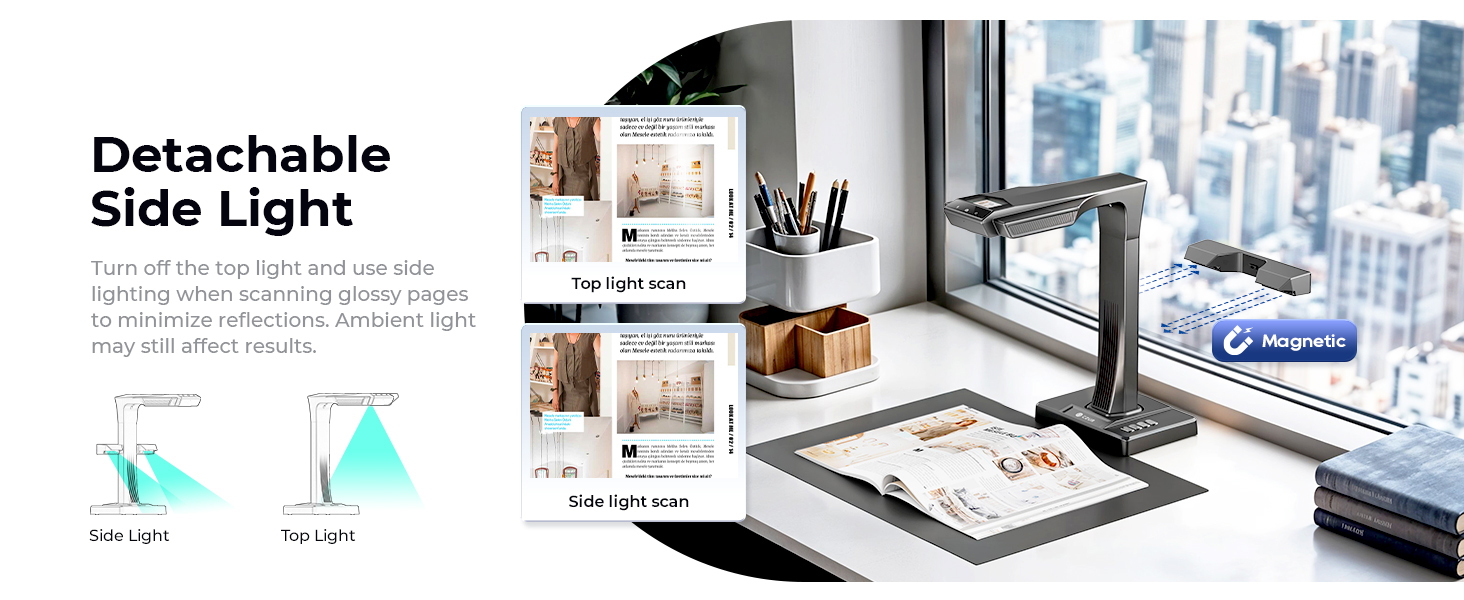
CZUR includes an attachable side light intended to reduce reflections and provide more even illumination. This is useful for magazines, coated pages, photographs, and other reflective materials.

It still helps to control the room environment. Overhead scanners can capture glare from room lights, windows, or glossy surfaces. The side light improves the setup, but lighting remains part of the scanning process.

CZUR ET Max side lighting used to reduce glare on glossy documents and books

06 / OCR

OCR: Useful for Searchable Archives, Not a Replacement for Proofreading

OCR is one of the ET Max's most useful features if the goal is more than creating page images.

CZUR currently lists ABBYY-based OCR with support for roughly 180 to 190 languages, depending on the software version and product page. Output options include searchable PDFs and editable formats such as Word and Excel, along with common image formats.

In practice, OCR quality depends heavily on the source material. Clean modern type on a flat page is much easier to recognize than faded print, decorative fonts, handwriting, marginal notes, damaged pages, or text distorted near a binding.

Independent coverage is encouraging but not uniform. The Gadgeteer reported good OCR performance overall, while recent Amazon feedback includes owners who found enough recognition mistakes to require manual cleanup.

The right expectation is:

OCR can save substantial time when building searchable or editable archives, but important text should still be reviewed before you treat the output as final.

That is especially true for research citations, legal material, historical documents, or any project where a single wrong character matters.

07 / Software

Software: The Main Reason to Look Beyond the Hardware Specs

The ET Max hardware is relatively easy to understand. It is the software experience that deserves more scrutiny.

CZUR's desktop software handles scanning modes, curve correction, page splitting, OCR, export, and image adjustments. Independent reviewers have successfully used it on both Windows and macOS, and CZUR continues to publish software updates and support pages for the ET Max.

At the same time, software is one of the clearest recurring concerns in customer feedback.

Recent ET Max reviews include reports of:

  • crashes or instability on some macOS systems;
  • occasional image-processing artifacts;
  • OCR errors;
  • frustration with editing and correction workflows;
  • page alignment or flattening that requires rescanning;
  • delays between an operating-system update and a compatible CZUR software update.

This is the most important trade-off in the review because so much of the ET Max's value depends on software. Without curve correction, OCR, page splitting, and automated cleanup, the device is much closer to an expensive overhead camera.

What Mac users should know

CZUR officially supports current macOS versions, including separate support paths for Intel and Apple Silicon systems. Independent reviewers have also reported successful Mac setups.

However, some recent Amazon owners describe crashes or periods where the software did not behave correctly after macOS updates. One long-term user specifically reported waiting for CZUR software updates after Apple system changes.

That means the fairest conclusion is not "the ET Max does not work on Mac." It is:

Mac support is official and functional for many users, but software compatibility can be more sensitive to operating-system updates than the hardware specifications suggest.

If the scanner is mission-critical, checking the latest CZUR software release notes before a major macOS update is sensible.

08 / Speed

Speed: Fast Capture, but Workflow Speed Is More Than the Shutter

CZUR advertises scanning as fast as roughly 1.5 seconds per capture, and speed is one of the strongest positive themes in Amazon feedback.

That figure describes the capture cycle, not the complete time required to digitize a finished book.

Real throughput also depends on:

  • how quickly you can turn and position pages;
  • whether page-turn detection works consistently with the book;
  • whether the software needs to reprocess or rescan a page;
  • OCR and export time;
  • the performance of the connected computer;
  • how much manual checking the final project requires.

For a large book-scanning project, even small savings per page can add up quickly. That is why the ET Max makes more sense for frequent scanning than for occasional use. The more material you digitize, the more valuable the overhead workflow becomes.

CZUR ET Max foot pedal and hands-free book scanning workflow

09 / Other uses

A3 Documents, Archives, and Other Uses Beyond Books

Books are the headline use case, but the ET Max can capture more than bound volumes.

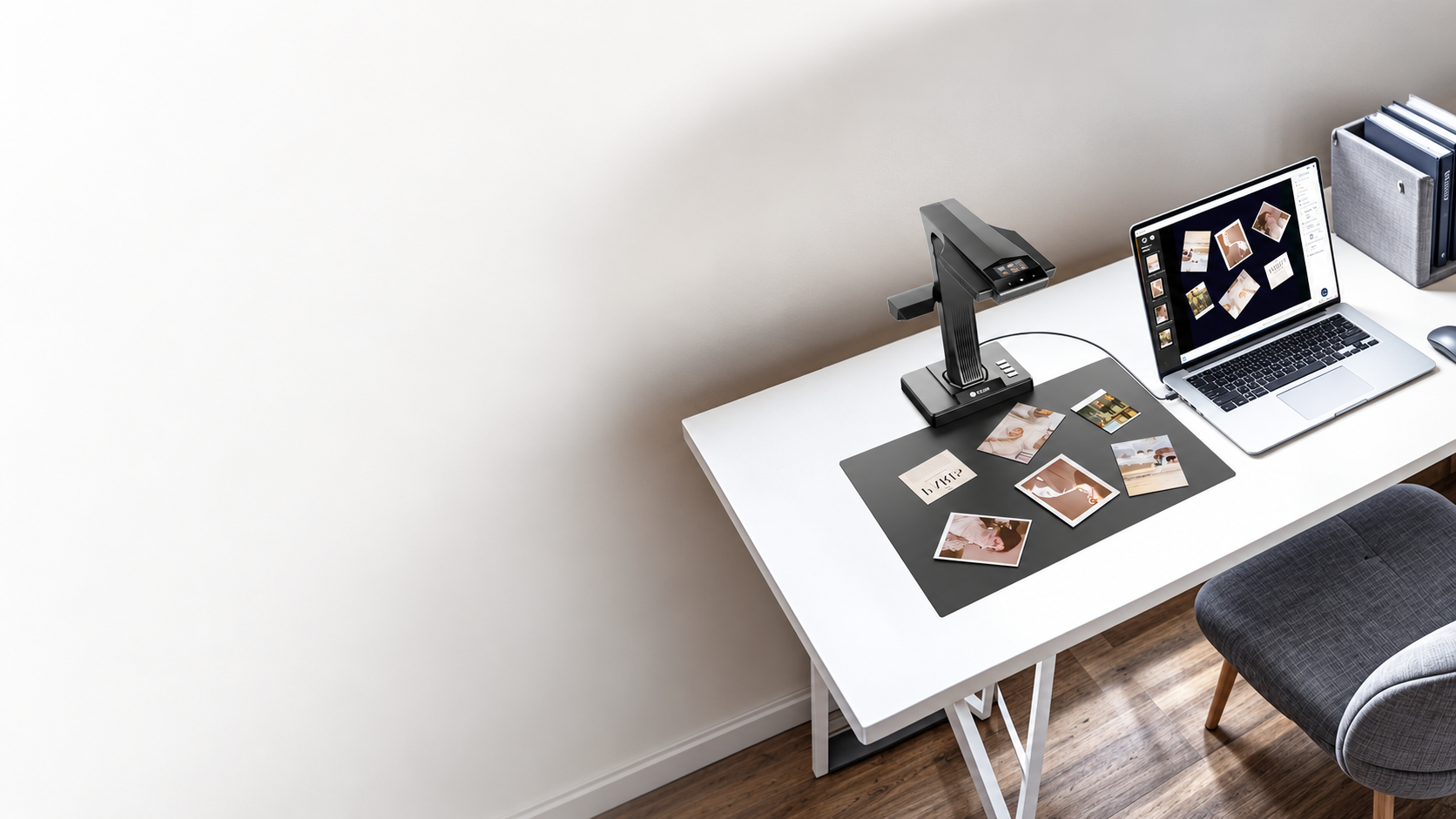
CZUR lists support for A3-size documents and positions the scanner for contracts, drawings, newspapers, family archives, certificates, postcards, and other materials that benefit from overhead capture.

The scanner also supports a visual-presenter mode and HDMI output, which can be useful in classrooms, presentations, demonstrations, or any setting where the document needs to appear on a larger display.

For small objects or multiple items placed on the mat, CZUR's software can also detect and process individual regions. That adds flexibility for archive work involving photographs, cards, receipts, or collections of smaller documents.

The limitation is that flexibility does not automatically make the ET Max the best scanner for every document type. If most of your workload is loose office paper, a sheet-fed scanner with an automatic document feeder may still be faster and take less space.

10 / Desk space

Build Quality and Desk Space

Customer feedback is generally positive about ET Max build quality. The scanner feels more like a dedicated desktop tool than a portable camera accessory.

That also means it needs a permanent or semi-permanent workspace.

CZUR lists the scanner itself at roughly 375 x 220 x 390 mm and around 1.5 kg, before accounting for the scanning mat, open book, side light, pedal, and the working area needed to turn pages comfortably.

If you plan to store the scanner after every session, the setup may feel cumbersome. If you have a dedicated digitization desk, the footprint is easier to justify.

11 / Alternative

CZUR ET Max vs ET24 Pro: Who Actually Needs the Upgrade?

The ET24 Pro remains a relevant comparison because it is another established model in the same ET family and has meaningful search demand of its own.

The clearest specification difference is resolution. CZUR lists the ET Max at 38MP and 410 dpi, while the ET24 Pro uses a lower-resolution 24MP camera. Both use the same general overhead scanning concept, curve-flattening workflow, OCR, and fast capture approach.

That does not mean every ET24 Pro owner should upgrade.

If your existing scans are already sharp enough, the workflow rather than the megapixel count may determine whether the upgrade is worthwhile. One recent Amazon reviewer who moved from an ET24 to the ET Max felt the real-world improvement was smaller than expected.

Choose the ET Max over the ET24 Pro if:

  • higher capture resolution matters to your archive;
  • you regularly scan dense text, detailed documents, or larger source material;
  • you are buying new and want the higher-spec ET model;
  • your workload is heavy enough to justify paying for the more capable hardware.

Stay with or consider the ET24 Pro if:

  • your current ET24 Pro already produces sufficient detail;
  • the software workflow matters more to you than extra resolution;
  • price difference is significant;
  • you do not have a clear project that benefits from the additional image detail.

12 / Trade-offs

The Biggest Trade-Offs Before Buying

1. The software is essential - and not universally reliable

This is the most important caution. The scanner's smartest features depend on CZUR software, and recent users still report crashes, correction problems, and workflow friction.

2. Curve flattening sometimes needs manual cleanup

Laser-assisted correction can save time, but difficult books and gutters can still produce skewed or imperfect results.

3. OCR accuracy varies with the source

OCR is useful and broad in language support, but older books, complex layouts, and imperfect scans can require proofreading.

4. It takes real desk space

The ET Max is not a portable wand scanner. It works best when you can leave enough room for the scanner, mat, book, lights, and page turning.

5. The price only makes sense if you scan enough

For occasional pages, the premium is difficult to justify. For hundreds or thousands of pages, the time saved becomes much easier to value.

13 / Decision support

Who Should Buy the CZUR ET Max?

Choose the ET Max if:
  • you regularly digitize bound books without removing pages;
  • you have a substantial archive, research, genealogy, or library project;
  • scan speed matters because the workload is large;
  • you want automatic page splitting and curve correction;
  • searchable PDF or editable OCR output is important;
  • A3 document capture is useful;
  • you have enough desk space for a dedicated overhead workflow.
Consider alternatives if:
  • you mostly scan loose office paper;
  • your scanning volume is low;
  • you need a compact portable scanner;
  • you expect every curved page to be corrected perfectly without checking;
  • software stability is more important than book-specific automation;
  • your priority is color-critical photographic or archival reproduction rather than fast document digitization.

14 / Evidence transparency

How We Reviewed the CZUR ET Max

Nolmira did not personally test the ET Max.

This review synthesizes:

  • CZUR's current ET Max specifications and software documentation;
  • independent hands-on reviews from Notebookcheck, Fossbytes, and The Gadgeteer;
  • current Amazon rating patterns and review themes supplied for this research;
  • recent ET Max customer reports, with older reviews of other CZUR ET-series models excluded from direct ET Max conclusions;
  • Keyword Planner data used to understand what buyers are actually searching for.

We separate manufacturer claims from independent testing and owner feedback. Where those sources disagree, the disagreement is treated as a trade-off rather than silently resolved in favor of the product.

15 / FAQ

FAQ

Is the CZUR ET Max good for scanning bound books?

Yes, bound books are one of its strongest use cases. The overhead design avoids pressing the book onto glass, while laser-assisted curve correction and automatic page splitting can reduce post-processing. Difficult gutters or unusual books can still require rescanning or manual correction.

Does the CZUR ET Max flatten curved pages automatically?

It includes automatic curve-flattening technology that uses laser lines and software processing. It can work well, but owner feedback and independent testing show that it is not perfect on every book or page shape.

Can the CZUR ET Max scan A3 documents?

Yes. CZUR lists support for documents up to A3 size. Bound-book working area can depend on the way the book opens and is positioned under the camera.

Does the CZUR ET Max have OCR?

Yes. CZUR uses ABBYY-based OCR and currently lists support for roughly 180 to 190 languages depending on the software documentation. It can export searchable PDFs and editable formats such as Word and Excel. Recognition accuracy still depends on the source material and scan quality.

Does the CZUR ET Max work with Mac?

CZUR officially supports current macOS versions, including Apple Silicon. Independent reviewers have used the ET Max successfully on Mac, but some Amazon users report crashes or compatibility problems around macOS updates. Check the latest CZUR software release before relying on it for a critical workflow.

Is the CZUR ET Max better than a flatbed scanner?

For frequent bound-book scanning, the overhead workflow can be much faster and gentler on the binding. A flatbed may still be preferable for color-critical originals, occasional pages, or workflows where maximum optical fidelity matters more than speed.

Is the CZUR ET Max worth the price?

It is easiest to justify when scanning volume is high. If you have hundreds or thousands of bound pages to digitize, the faster workflow, foot pedal, page splitting, curve correction, and OCR can save meaningful time. For occasional scanning, a cheaper scanner is usually easier to justify.

Should ET24 Pro owners upgrade to the ET Max?

Not automatically. The ET Max offers higher capture resolution, but both models share much of the same book-scanning workflow. Upgrade when the extra detail or newer hardware solves a specific limitation in your current setup, not simply because the ET Max is the newer model.

TOP