
An ergonomic mouse is not useful just because it looks unusual. The shape has to fit your hand, the buttons have to fall where your fingers naturally reach, and the connection options need to fit the way you work.
That is why there is no single ergonomic mouse that makes sense for everyone.
A smaller hand may feel comfortable on the Logitech Lift but cramped or overstretched on a larger design. Someone switching between a laptop, desktop, and tablet may care more about multi-device connectivity than premium materials. A first-time vertical-mouse buyer may simply want an inexpensive way to find out whether the shape works for them.
We compared four ergonomic mice that solve those problems in different ways: Logitech Lift, Logitech MX Vertical, ProtoArc EM11 NL, and the Anker 2.4G Wireless Vertical Ergonomic Mouse.
01 / Quick answer
Quick answer
Choose Logitech Lift if you have small to medium hands and want a mature office-focused vertical mouse.
See Lift details ↓Choose Logitech MX Vertical if you have medium to large hands and want a more premium productivity setup.
See MX Vertical details ↓Choose ProtoArc EM11 NL if you want rechargeable power and three-device switching at a lower price.
See EM11 NL details ↓Choose Anker Vertical if you want a simple, inexpensive introduction to the vertical-mouse shape.
See Anker details ↓02 / Comparison
Our Picks at a Glance
| Mouse | Best fit | Connectivity | Power | Main trade-off |
|---|---|---|---|---|
| Logitech Lift | Small to medium hands; mainstream office use | Bluetooth + Logi Bolt | AA battery | Less suitable for larger hands |
| Logitech MX Vertical | Medium to large hands; premium productivity | Bluetooth + USB receiver + wired | Rechargeable | Larger, pricier, and takes time to adapt |
| ProtoArc EM11 NL | Small to medium hands; value multi-device setup | 2 Bluetooth + 2.4GHz USB-A | USB-C rechargeable | Grip and button feel receive mixed feedback |
| Anker Vertical | Budget vertical use; often better for medium/larger hands | 2.4GHz USB-A | 2 AAA batteries | Older connection design and recurring reliability complaints |
03 / Product fit
Logitech Lift
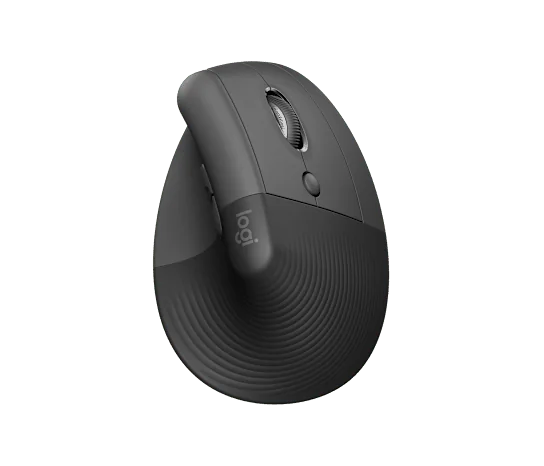
For small to medium hands and mainstream office use
The Logitech Lift is the easiest starting point in this group for people who want a polished vertical mouse without moving into a large, premium productivity model.
Logitech explicitly positions the Lift for small to medium hands. Its 57-degree vertical shape places the hand in a handshake-style position, while Bluetooth and Logi Bolt support a normal modern office workflow. It can pair with up to three devices, and the SmartWheel can switch between precise and faster scrolling depending on how you use it.
Independent testing supports the hand-size distinction. RTINGS describes the Lift as particularly well suited to small and medium hands and rates it strongly for office use. There is also a left-handed version, which makes the Lift more flexible than many ergonomic mice that are designed only for right-handed users.
Why it works for everyday office use
The Lift feels like a productivity mouse first and an ergonomic experiment second.
The controls are familiar, the main clicks are quiet, and the multi-device support is useful if you move between a laptop and another computer during the day. Logitech also offers a Lift for Mac variant, so the design naturally fits Mac-heavy work setups as well.
For users moving from a conventional mouse, that mainstream office focus matters. You still need time to learn the vertical shape, but the product does not ask you to learn an unusual button system at the same time.
What to know before buying
The Lift is not the right size for everyone. Larger hands may feel crowded, especially with a palm-style grip.
It also uses a replaceable AA battery rather than USB-C charging. Some buyers will prefer the long battery life and simplicity; others may prefer a rechargeable mouse.
The scroll wheel is useful for everyday work, but it does not have the same horizontal-scroll emphasis or broader premium control set found on more feature-heavy productivity mice.
Choose Logitech Lift if: your hand is small to medium, you want quiet office use and multi-device connectivity, and you prefer a well-established vertical design.
Consider another option if: you have a larger hand or want a rechargeable premium mouse with a larger body.
Logitech MX Vertical
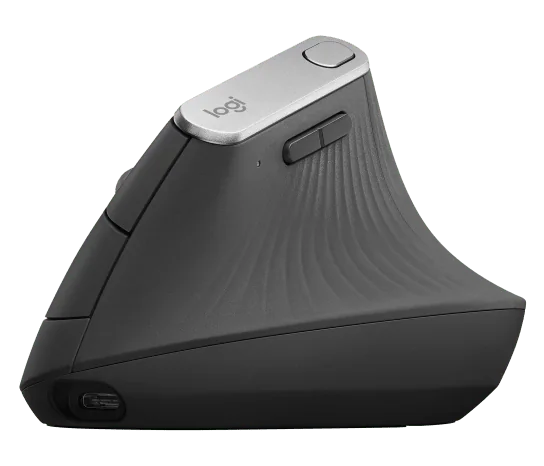
For medium to large hands and a more premium productivity setup
The MX Vertical is the larger Logitech option and makes more sense for users who want a fuller palm-supported shape.
Logitech positions it for medium to large hands, again using a 57-degree vertical orientation. It supports Bluetooth, a USB receiver, and wired use, and it can switch among up to three computers. Unlike the Lift, it is rechargeable.
RTINGS also identifies hand size as one of the most important differences: the MX Vertical is not a good fit for small hands, but it performs well as an office mouse once the user adapts to the shape.
Why it works for a more serious desk setup
The MX Vertical has the connection flexibility expected from a premium productivity mouse. You can keep it paired with several computers, recharge it rather than replace batteries, and use it wired when needed.
The larger shell is also useful for buyers who find compact vertical mice too narrow or too short to support the palm comfortably.
This is the better Logitech choice if your first question is not "Which vertical mouse is cheapest?" but "Which one is more likely to fit my larger hand and permanent desk setup?"
What to know before buying
The MX Vertical is physically larger and less portable than the Lift. It also has a learning curve if you have spent years using a conventional mouse.
Do not assume that the more expensive product will automatically feel better. Hand size, thumb position, and the way you move the mouse matter more than price alone.
Users who want the most advanced scrolling and shortcut controls may also prefer a traditional productivity mouse rather than a vertical design.
Choose MX Vertical if: you have medium to large hands, want rechargeable power and multi-device flexibility, and prefer a larger premium office mouse.
Consider another option if: your hand is small, you travel frequently, or you want a conventional productivity-mouse shape.
ProtoArc EM11 NL
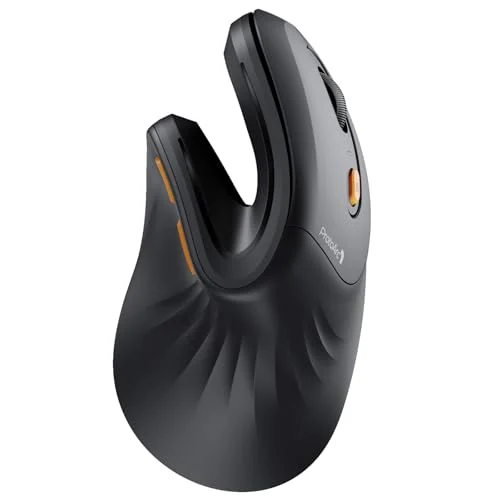
For rechargeable multi-device value
The ProtoArc EM11 NL stands out because it offers many of the workflow features people expect from more expensive office mice without moving into the same price tier as premium Logitech models.
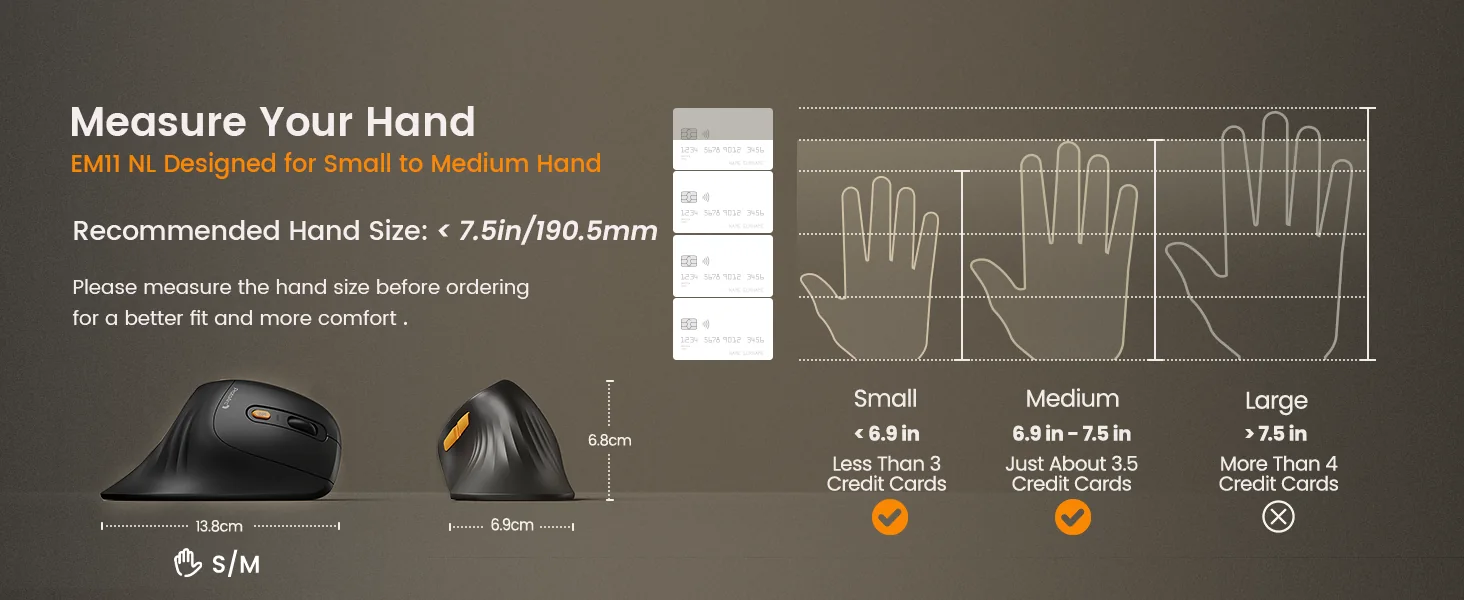
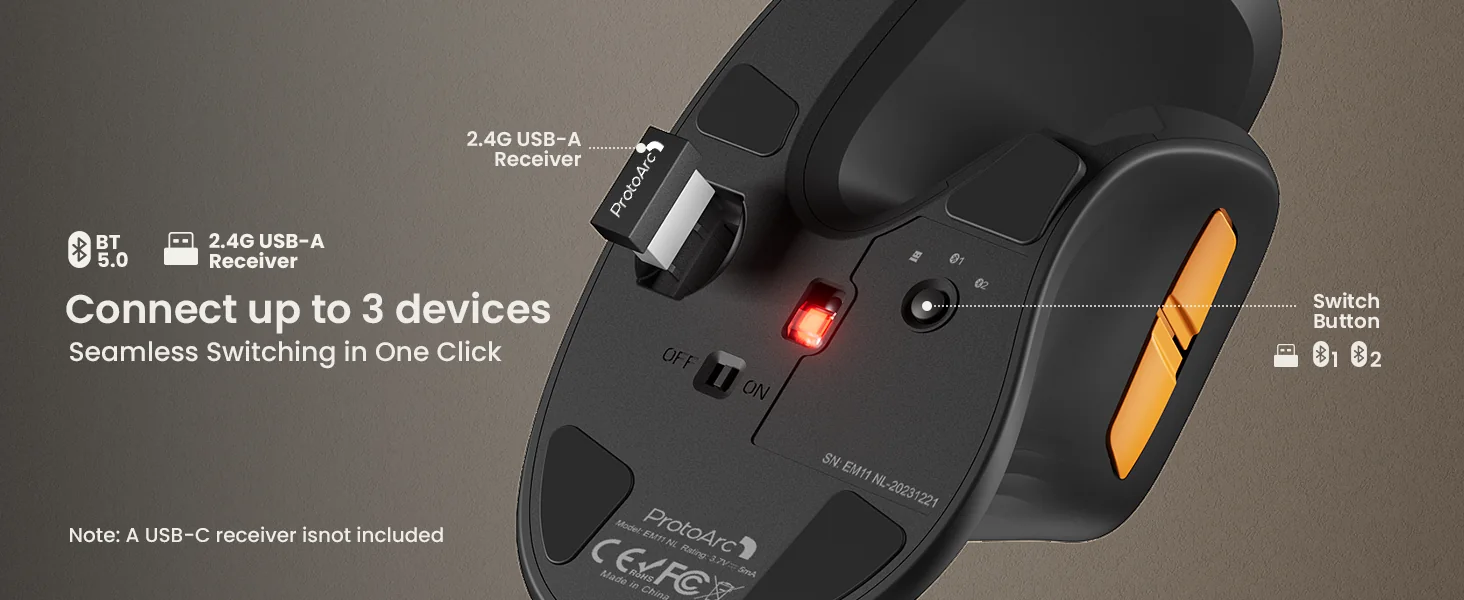
ProtoArc specifies the EM11 NL for small to medium hands under 7.5 inches. It uses a 58-degree vertical shape and can connect to three devices through two Bluetooth channels plus a 2.4GHz USB-A receiver. It also has USB-C charging, adjustable DPI, quiet main clicks, and forward/back navigation buttons.
That combination makes it particularly attractive for a home office with several devices.
Why it works for a multi-device desk
The ability to move among three devices is the EM11 NL's clearest advantage in this comparison.
If you regularly use a work laptop, personal computer, and tablet, the connection options are much more modern than the basic USB-receiver-only approach of the Anker. Rechargeable power also removes the need to keep disposable batteries nearby.
Amazon feedback is broadly positive around ergonomics, comfort, connectivity, and battery life. The large review base gives the product more real-world evidence than many newer low-cost vertical mice.
What to know before buying
The main trade-off is fit and control feel.
Customer feedback on the grip is mixed. Some lower-rated reviews describe the surface as slippery or say the hand can slide forward. Button responsiveness and fine cursor control also appear in recurring complaints, including users who find clicks harder to register or precise movements less predictable than on conventional productivity mice.
Those issues do not make the EM11 NL a poor mouse, but they are important if your work involves very fine cursor placement or if you are especially sensitive to grip texture.
The product also uses a USB-A receiver. Bluetooth avoids that limitation on newer laptops, but users who specifically want to use the receiver on a USB-C-only machine will need an adapter or hub.
Check current priceChoose EM11 NL if: you want Bluetooth, three-device switching, rechargeable power, and a lower-cost vertical design.
Consider another option if: you strongly prefer a tackier grip surface or need very predictable fine cursor control.
Anker 2.4G Wireless Vertical Ergonomic Mouse
For a low-cost introduction to vertical mice
The Anker is the simplest product in this comparison.
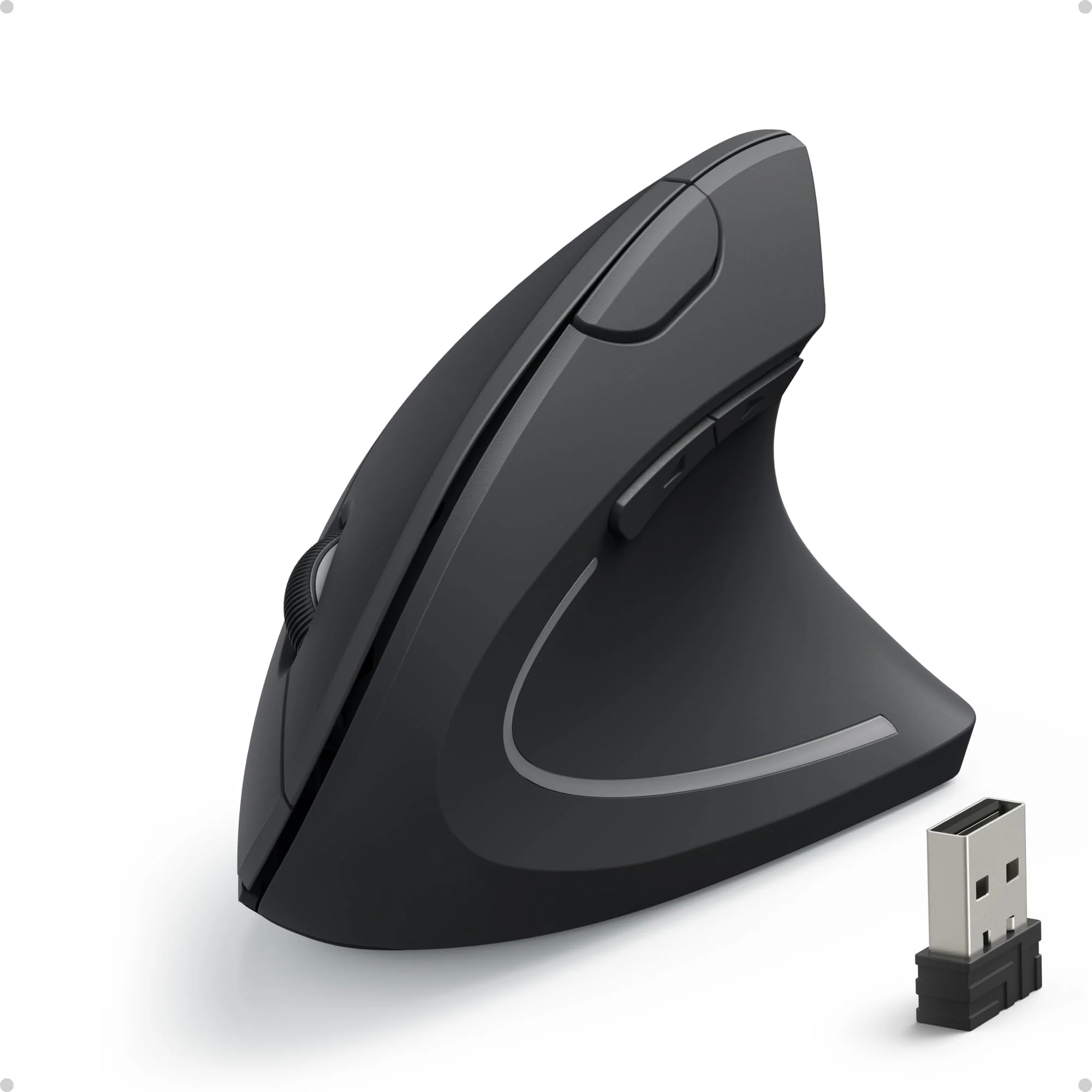
There is no Bluetooth, no multi-device switching, and no rechargeable battery. Instead, it uses a 2.4GHz USB-A receiver, two AAA batteries, three DPI settings, and a familiar set of back/forward buttons.
That simplicity is the point.
If you are curious about vertical mice but do not want to spend much before finding out whether the shape suits you, the Anker offers an inexpensive way to try the category.
Why it works as a budget option
The Anker has an unusually large amount of long-term customer feedback. Its Amazon listing has tens of thousands of ratings, with ergonomics, comfort, and value among the strongest recurring positive themes.
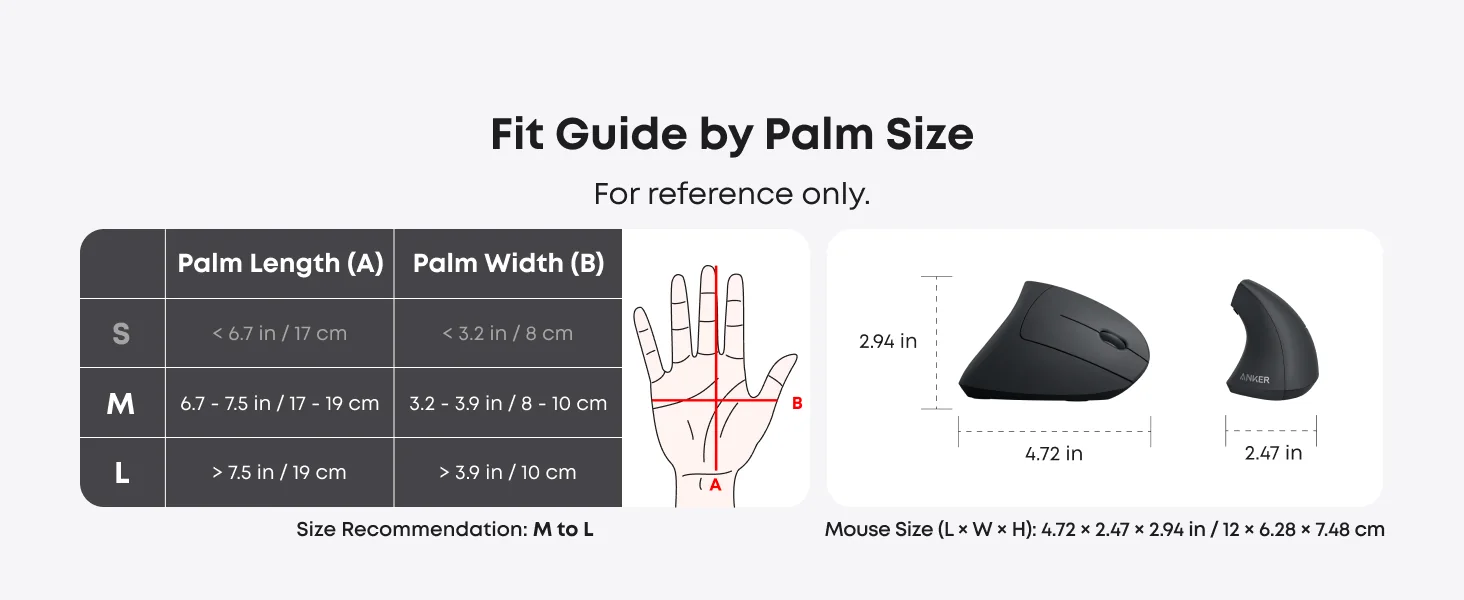
The company's fit guide recommends the mouse primarily for medium to large palm sizes, and customer feedback also suggests that very small hands may find the body tall or difficult to grip comfortably.
The mouse supports 800, 1200, and 1600 DPI and stores the receiver inside the body when not in use. For a basic desktop computer with a USB-A port, setup is straightforward.
What to know before buying
The biggest concern is reliability.
Amazon's review summary flags reliability as a negative theme, and lower-rated reviews repeatedly mention sticky or double-clicking buttons, scroll-wheel problems, receiver issues, or units that stop working over time.
The connection design is also dated compared with the other mice here. USB-A-only wireless can be inconvenient on modern laptops, and Mac users should note that Anker says the browser forward/back thumb buttons are not recognized on macOS.
Finally, it uses replaceable AAA batteries rather than a rechargeable internal battery.
Check current priceChoose Anker Vertical if: you want the lowest-cost, straightforward way to try a vertical mouse on a USB-A computer.
Consider another option if: you need Bluetooth, multi-device switching, USB-C charging, or a stronger long-term reliability record.
04 / Final decision
Which Ergonomic Mouse Fits Your Hand and Workflow?
The most useful way to compare ergonomic mice is not by declaring one universal winner. Start with the part of the decision that is hardest to change later: physical fit.
Choose Logitech Lift if:
- your hand is small to medium
- you want a mature office-focused vertical mouse
- quiet clicks matter
- you switch between several devices
- you want a left-handed option
Choose Logitech MX Vertical if:
- your hand is medium to large
- you want a larger premium shell
- rechargeable power matters
- you want Bluetooth, receiver, and wired connectivity
- the mouse will mostly live at a permanent desk
Choose ProtoArc EM11 NL if:
- your hand is small to medium
- you want three-device switching at a lower price
- you prefer USB-C charging
- you want both Bluetooth and a 2.4GHz receiver
- value matters more than premium materials
Choose Anker Vertical if:
- you want to spend as little as possible to try a vertical mouse
- your computer has USB-A
- your hand is not especially small
- you do not need Bluetooth or multi-device switching
05 / Format decision
Do You Actually Need a Vertical Mouse?
Not necessarily.
"Ergonomic mouse" and "vertical mouse" are not the same thing.
A vertical mouse changes the angle of the hand and forearm. Some users find that position more comfortable for long computer sessions, while others dislike the grip, feel less precise, or never fully adapt to the shape.
A traditional productivity mouse can still use an ergonomic right-handed shape with a thumb rest and extensive controls. If you want a conventional orientation, a product such as the Logitech MX Master 4 is an alternative worth considering rather than forcing yourself into a vertical design.
The important point is fit: an ergonomic label does not guarantee that a mouse will suit your hand, posture, or working style.
If you have persistent wrist, hand, or arm pain, a mouse should not be treated as a medical solution. Product comfort is individual, and ongoing symptoms are better discussed with a qualified health professional.
06 / What matters
What Matters Most When Choosing an Ergonomic Mouse?
Hand size
Hand size is the first filter.
A mouse that is too large can force your fingers to stretch for the buttons or scroll wheel. A mouse that is too small may leave the palm unsupported or make the grip feel cramped.
Do not rely only on product photos. Use the manufacturer's hand-size guidance when it is available.
Vertical angle and adaptation
Moving from a flat mouse to a vertical design changes how you hold and move the device.
Expect an adjustment period. A vertical mouse can initially feel slower or less precise even if the shape eventually becomes comfortable.
Connectivity
For one desktop computer, a USB receiver may be enough.
For hybrid work, Bluetooth and multi-device switching are much more useful. Check whether your laptop has USB-A before relying on a receiver-based mouse.
Buttons and scrolling
Productivity features matter more than the word "ergonomic."
Consider whether you need:
- back/forward navigation
- programmable shortcuts
- horizontal scrolling
- free-spin scrolling
- quiet clicks
- easy access to DPI controls
A comfortable shape can still be frustrating if the buttons are difficult to reach.
Battery preference
There is no universally better option.
Replaceable batteries can last a long time and avoid charging interruptions. Rechargeable mice reduce disposable battery use and may fit better into a USB-C desk setup.
07 / Evidence transparency
How We Compared These Mice
Nolmira did not personally hands-on test these four mice.
This comparison combines:
- manufacturer specifications and hand-size guidance
- independent professional testing where available
- Amazon customer-review patterns for the ProtoArc and Anker models
- recurring fit, grip, button, connectivity, and reliability feedback
- practical differences in office workflow and device switching
We prioritize fit and use case over a universal ranking. Ergonomic products are especially dependent on hand size and personal movement patterns, so a mouse that works well for one user can be uncomfortable for another.
08 / FAQ
FAQ
What is the best ergonomic mouse for office work?
For small to medium hands, Logitech Lift is one of the easiest mainstream office options to consider. Medium to large hands may fit the larger MX Vertical better. ProtoArc EM11 NL makes more sense if multi-device features and rechargeable power are priorities at a lower price, while the Anker is the simplest budget entry point.
What is the best ergonomic mouse for small hands?
Logitech positions the Lift for small to medium hands, and ProtoArc positions the EM11 NL for small to medium hands under 7.5 inches. Fit still varies by grip style, so manufacturer sizing should be treated as a starting point rather than a guarantee.
What is the best ergonomic mouse for large hands?
Logitech positions the MX Vertical for medium to large hands. The Anker's own fit guide also leans toward medium and large palm sizes, although it is a much simpler and less feature-rich mouse.
Are vertical mice better than normal mice?
Not for everyone. A vertical mouse changes hand and forearm orientation, and some users prefer that position for long work sessions. Others prefer the precision and familiarity of a conventional productivity mouse. Comfort depends on hand size, grip, desk setup, and adaptation.
Which ergonomic mouse is better for Mac?
Logitech Lift and MX Vertical both support macOS and multi-device workflows. ProtoArc EM11 NL also supports macOS over Bluetooth or its receiver. The Anker works with macOS, but Anker notes that its forward/back thumb buttons are not recognized on Mac OS X.
Can an ergonomic mouse prevent wrist pain or carpal tunnel syndrome?
A mouse should not be treated as a medical treatment or prevention guarantee. Ergonomic shapes may feel more comfortable for some users, but product fit varies and persistent symptoms should be evaluated by a qualified health professional.
If you are choosing specifically between the two, read the Anker Vertical Mouse vs Logitech Lift comparison for hand fit, connectivity, and value.
TOP