Best Ergonomic Mouse for Office Work
Compare fit and office workflow across vertical-mouse options.
Read the comparison →Work / Comparison
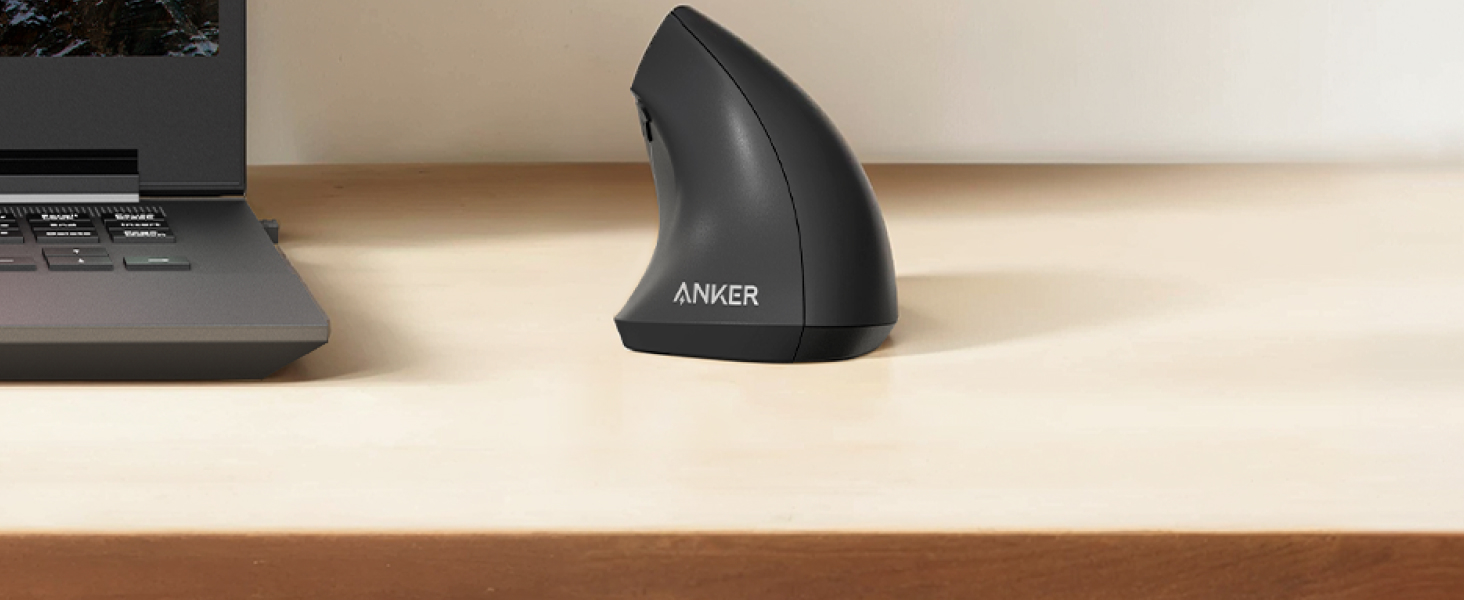
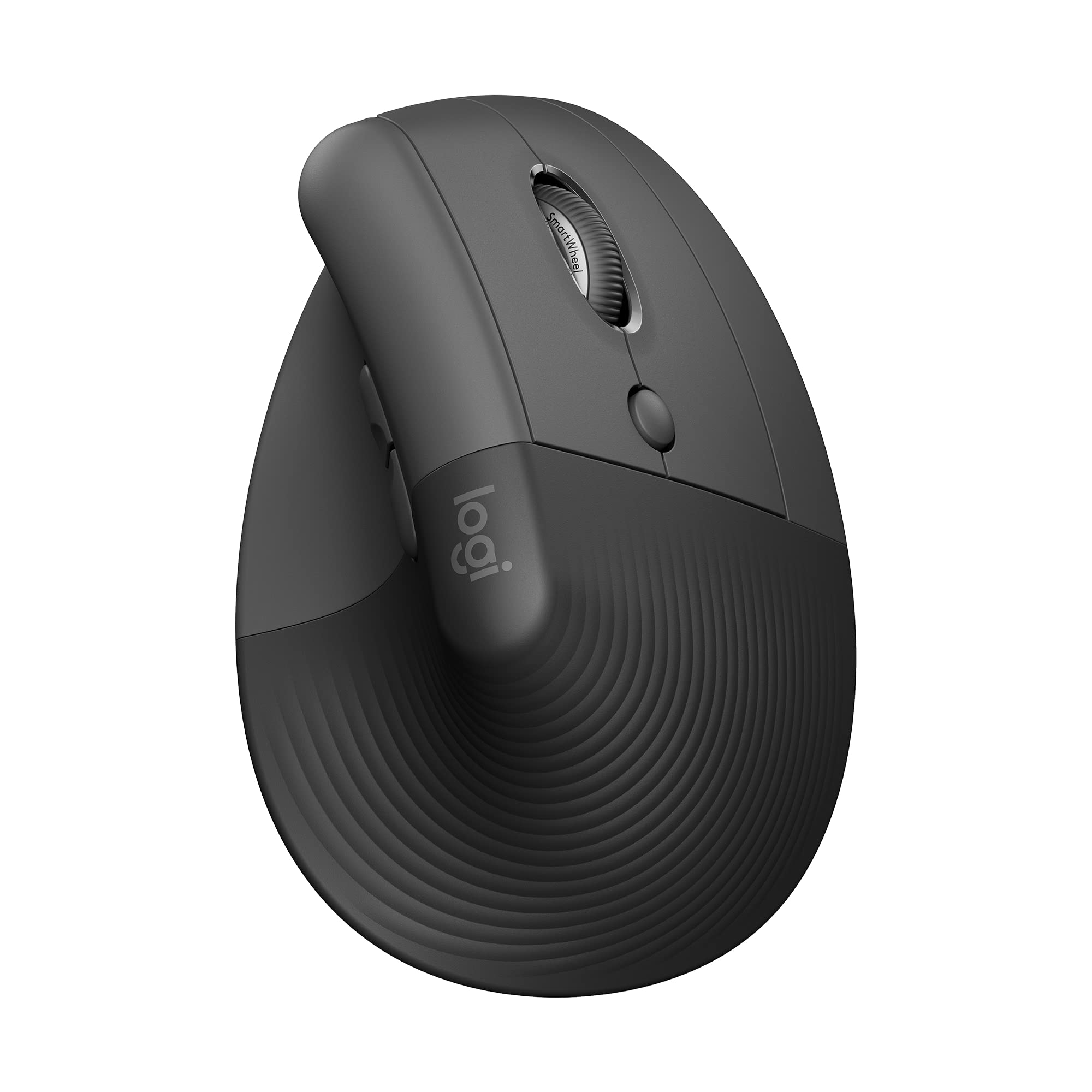
The Anker Vertical Mouse and Logitech Lift solve the same basic problem in very different ways.
Anker keeps things simple and inexpensive, making it an easier entry point for anyone curious about a vertical mouse. The Lift costs more, but adds Bluetooth, Logi Bolt, software customization, and a more polished office workflow.
The real question is whether those upgrades matter enough for the way you work.
02 / Comparison
The Logitech Lift is the better choice if you want a more complete office mouse with Bluetooth, Logi Bolt, software customization, and stronger multi-device support.
The Anker Vertical Mouse is much simpler, but that simplicity comes with a major advantage: it is a lower-cost way to find out whether a vertical mouse actually suits you.
Choose the Logitech Lift for a more refined long-term setup. Choose the Anker Vertical Mouse if you are trying the vertical shape for the first time or only need basic wireless control.
03 / Comparison
| Decision factor | Anker Vertical Mouse | Logitech Lift |
|---|---|---|
| Best for | Trying a vertical mouse on a budget | Long-term office use |
| Positioning | Budget | More premium |
| Connection | 2.4GHz USB receiver | Bluetooth + Logi Bolt |
| Multi-device workflow | Basic | Better |
| DPI | 800 / 1200 / 1600 | Up to 4000 DPI |
| Software customization | Limited | Logi Options+ |
| Hand fit | Better suited to many medium / larger hands | Designed around small / medium hands |
| Left-handed version | No | Available |
| Battery | AAA | AA |
| Main advantage | Low-cost entry point | More complete office workflow |
| Main concern | Basic features, mixed reliability feedback | Click quality, fit, connectivity feedback |
04 / Comparison
At first glance, both products belong to the same category: wireless vertical mice designed to position the hand differently from a conventional flat mouse.
But once they are on a desk, the experience is quite different.
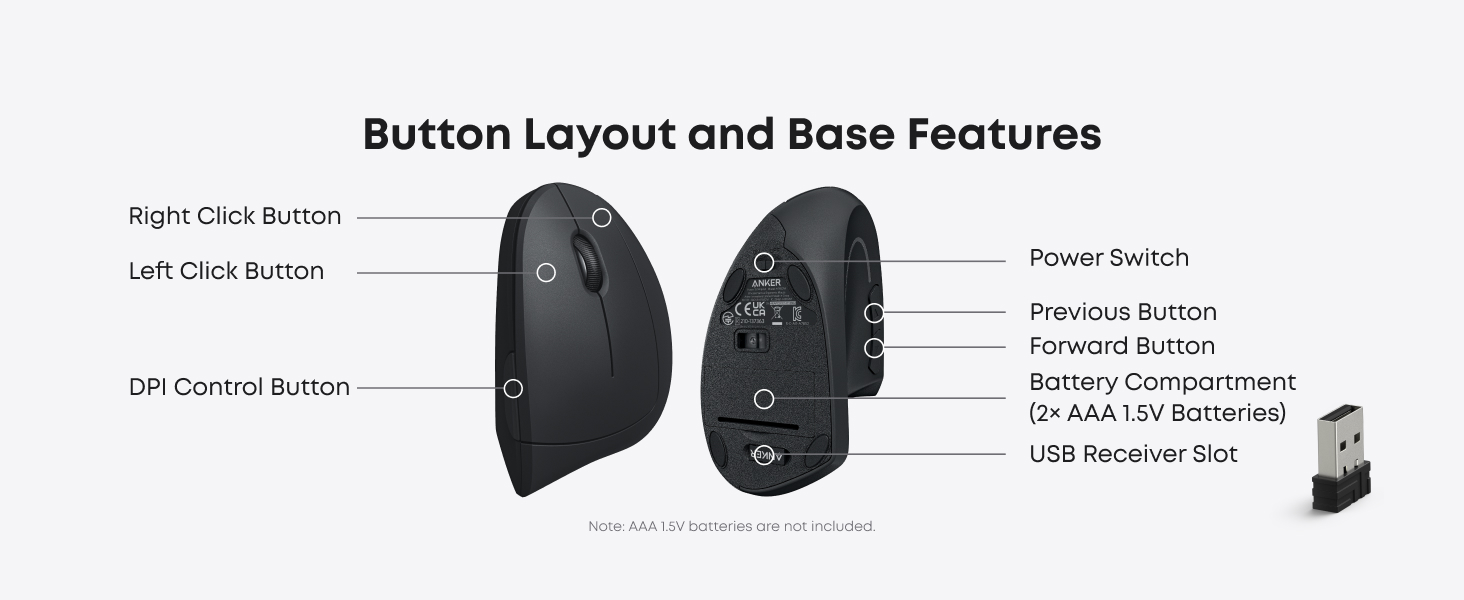
The Anker is fundamentally a simple peripheral. Plug in the USB receiver, choose one of its DPI settings, and use it.
The Logitech Lift is designed more like an office productivity tool. Bluetooth, the included Logi Bolt receiver, programmable buttons, Logitech software, and multi-device support give it much more flexibility.
That leads to the core buying decision:
Do you want the cheapest sensible way to try a vertical mouse, or do you already know you want one integrated into your everyday workflow?
05 / Comparison
The Anker Vertical Mouse makes the most sense when the main thing you want to test is the vertical shape itself.
You are not paying for a broad software ecosystem or sophisticated device switching. Instead, you get a straightforward 2.4GHz wireless mouse with adjustable 800, 1200, and 1600 DPI settings, forward/back buttons, and a more upright body than a normal mouse.
That simplicity is important.
Vertical mice are highly dependent on personal fit. A shape that feels natural to one person may feel awkward to another, and it can take time to adjust from a conventional mouse.
Spending less reduces the cost of finding out whether the form factor works for you.
If you use one computer, are comfortable with a USB-A receiver, and do not need advanced button customization, the Anker covers the basics without asking you to pay for features you may never use.
It is especially logical for someone thinking:
“I want to try a vertical mouse, but I am not yet convinced I want to spend around $70 on one.”
That is the strongest commercial argument for the Anker.
06 / Comparison
The Logitech Lift is aimed at a different buyer.
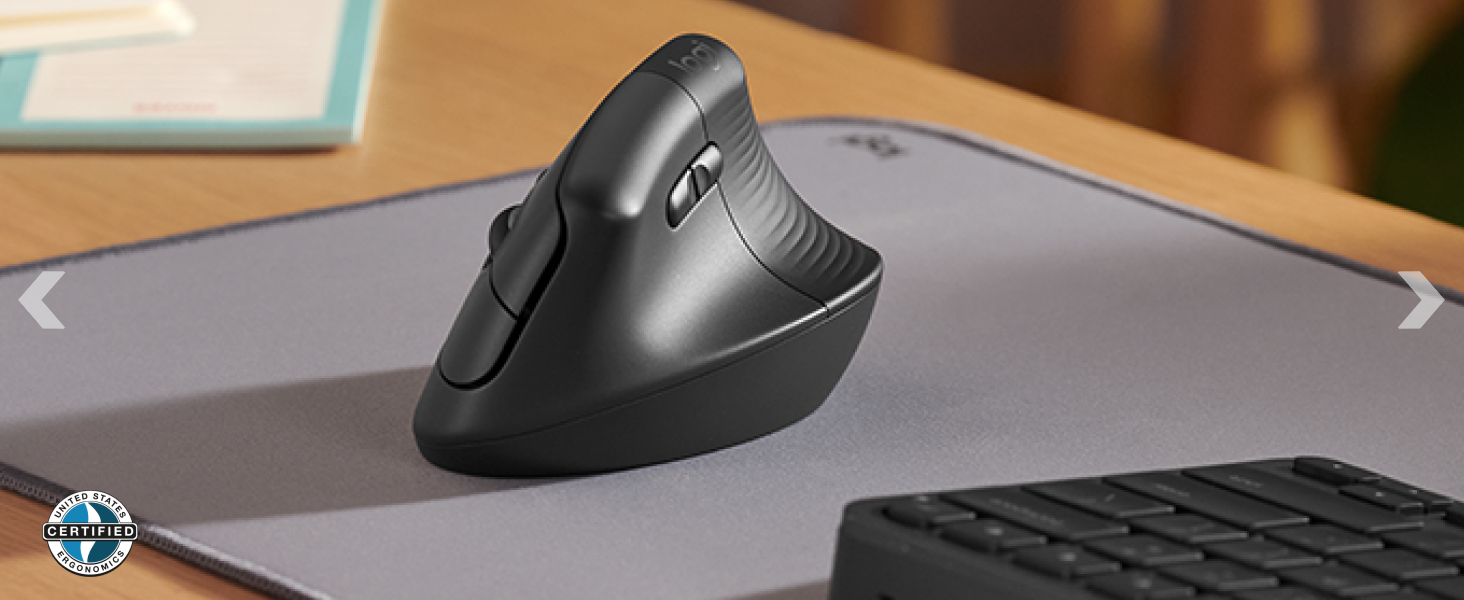
Its current Amazon listing shows a 4.4/5 rating from more than 14,000 reviews, and Amazon's customer summary is especially positive around quality, ergonomics, wrist comfort, and smooth operation.
Its feature set is also considerably broader.
You can connect through Bluetooth or the included Logi Bolt receiver, customize buttons through Logitech software, and use it across a more complex desk setup than the Anker is designed for.
The Lift is also available in both right- and left-handed versions.
That does not make it automatically better for everyone. It means the extra money buys you more flexibility.
07 / Comparison
This is one of the most important differences between the two.
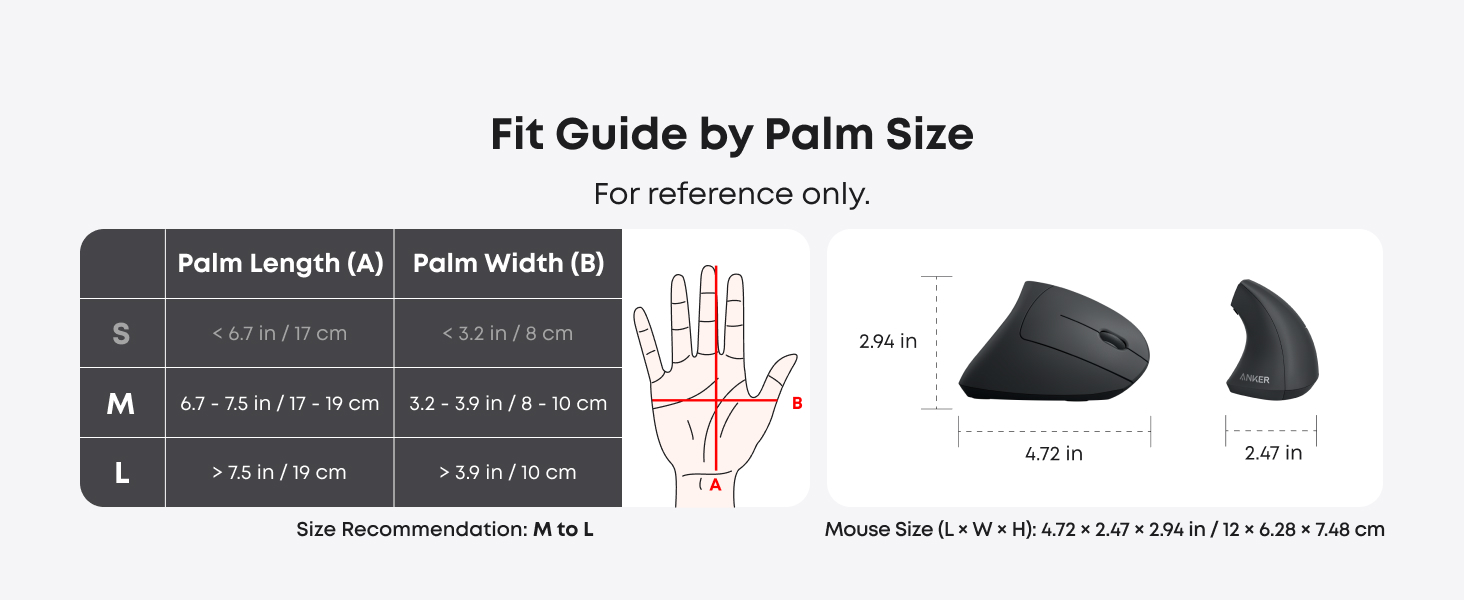
Logitech positions the Lift toward small-to-medium hands. That makes it an appealing alternative to larger vertical mice, but customer feedback confirms that hand fit remains subjective.
Amazon's customer summary marks size as mixed, and the lower-rated reviews supplied for this research include opposing experiences: some buyers think the Lift is too small, while others with relatively small hands still find the shape uncomfortable.
The clearer risk is for larger hands.
Several reviewers specifically describe the Lift as too compact for long fingers or larger hands and say they would prefer a larger vertical model.
The Anker's shape is also fit-dependent, but its larger-feeling body can make more sense for users who find the Lift cramped.
So rather than saying one is “more ergonomic,” the more useful distinction is:
Lift is the more logical starting point for small-to-medium hands; Anker may suit some medium-to-larger hands better.
Neither fit is guaranteed.

08 / Comparison
For connectivity, this comparison is much less subjective.
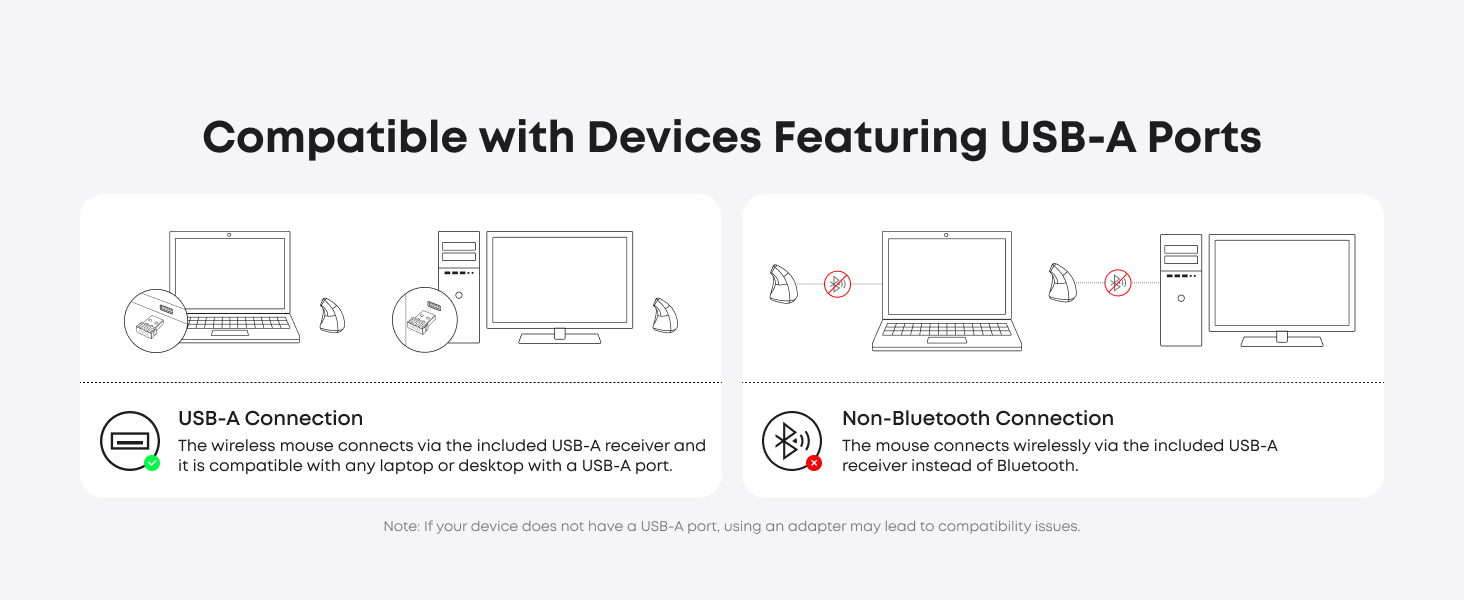
The Anker uses a 2.4GHz USB receiver.
That is simple and usually enough for one desktop or laptop with a compatible port.
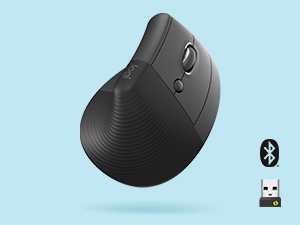
The Logitech Lift gives you Bluetooth + Logi Bolt.
That matters if you use a modern laptop with limited USB-A ports, move between workstations, or simply want fewer receivers connected to your computer.
The Lift is therefore the stronger choice for MacBook users, laptop-and-desktop combinations, people switching between devices, and desks where USB ports are already crowded.
But the extra capability does not mean the workflow is perfect.
Amazon lists connectivity as mixed, and the lower-rated feedback includes reports of intermittent Bluetooth or receiver behavior.
There is also a usability detail worth knowing: the Easy-Switch button sits on the underside of the Lift. For someone who changes devices frequently, physically turning the mouse over to switch can be less convenient than the phrase “multi-device” initially suggests.
So Logitech wins the connectivity comparison, but not without trade-offs.
09 / Comparison
The Anker is intentionally basic.
The Lift works with Logi Options+, giving users more control over button assignments and workflow behavior.
That can be useful if you regularly perform repetitive actions such as browser navigation, app shortcuts, document work, or other office tasks.
For someone who wants a mouse to become part of a customized productivity setup, this is a meaningful advantage.
For someone who only needs left click, right click, scrolling, and browser navigation, it can be unnecessary complexity.
Some of the lower-rated Lift feedback also complains about software behavior or restrictions around specific button assignments.
The difference is therefore not “software = automatically better.” It is that Logitech gives you options that Anker does not.
10 / Comparison
This is where the Lift's strong overall review score needs context.
Amazon specifically flags click quality negatively in its customer-feedback summary.
The representative lower-rated reviews supplied for this research repeatedly mention variations of:
That pattern is strong enough to mention. It is not strong enough to conclude that Lift mice generally fail.
With more than 14,000 ratings and a 4.4-star average, most owners clearly are not describing catastrophic button problems.
The fair conclusion is:
Long-term click reliability is one of the clearer recurring risks in otherwise strong Lift feedback.
The Anker also has reliability complaints in its own owner feedback, so this is not a clean case where one product is “reliable” and the other is not.
For both products, the better approach is to recognize recurring failure patterns without treating isolated reviews as universal outcomes.
11 / Comparison
This is the central decision.
If you compare features alone, the Lift wins easily. But that is not necessarily how you should spend your money.
| If you care most about... | Better fit |
|---|---|
| Trying a vertical mouse cheaply | Anker Vertical Mouse |
| One-PC simplicity | Anker Vertical Mouse |
| Bluetooth | Logitech Lift |
| Small / medium hand orientation | Logitech Lift |
| Multi-device setup | Logitech Lift |
| Software customization | Logitech Lift |
| Left-handed option | Logitech Lift |
| Avoiding a larger upfront commitment | Anker Vertical Mouse |
| More complete long-term office workflow | Logitech Lift |
The Lift's premium mainly buys workflow flexibility, not proof that the shape will automatically suit your hand better.
If you already know you like vertical mice, paying more for the Lift is easier to justify.
If you are still figuring that out, the Anker can be the more rational purchase.
12 / Comparison
For a permanent home-office setup, the Logitech Lift is the stronger overall product.
Its Bluetooth support, software customization, broader connectivity, and more polished ecosystem all become more useful when the mouse is something you use every day.
But “better product” does not always mean “better purchase.”
If your home office has one Windows PC, a free USB-A port, and no need for customized controls, much of the Lift's advantage may go unused.
That is exactly where the Anker becomes attractive.
The question is not whether Lift has more features. It does.
The question is whether your desk needs them.
13 / Comparison
Here the answer flips.
For someone buying a vertical mouse for the first time, the Anker has a clearer role.
The reason is not that its shape is objectively better. It is financial risk.
A vertical mouse changes hand position enough that some users love it and others never fully adapt.
Starting with a much cheaper product lets you answer the most important question first:
Do I actually like using a vertical mouse every day?
If the answer is yes, upgrading later to something like the Lift becomes easier to justify.
If the answer is no, you have spent less discovering that.
14 / Comparison
The Lift's overall feedback is strong.
The current listing supplied for this research shows 4.4 out of 5 from 14,043 ratings, with 75% of ratings at five stars.
Amazon's summarized positive themes include quality, ergonomics, wrist comfort, and smooth operation.
The more mixed themes are value for money, connectivity, and size. The strongest negative theme is click quality.
That combination fits the broader story of the product well.
The Lift is not struggling because buyers do not understand what it is for. Most clearly appreciate the overall office-oriented design.
The main questions are whether it fits a particular hand, whether the extra features justify the price, and whether an individual unit holds up well over time.
15 / Comparison
| Choose Anker Vertical Mouse if... | Choose Logitech Lift if... |
|---|---|
| You are trying a vertical mouse for the first time | You already know vertical mice suit you |
| You want to spend less | You are willing to pay more for features |
| You use one computer | You use multiple devices |
| A USB receiver is enough | You want Bluetooth + Logi Bolt |
| Basic controls are enough | You want software customization |
| You want a low-cost experiment | You want a more complete office mouse |
16 / Comparison
The Logitech Lift is the better overall office mouse.
Its connectivity, software ecosystem, left-handed option, and broader productivity features make it more capable than the basic Anker Vertical Mouse.
But that does not make the Anker irrelevant.
The Anker Vertical Mouse has a clearer value proposition: it gives you an inexpensive way to try the vertical form factor without paying for a full productivity ecosystem before you know whether the shape suits you.
So the decision is fairly simple:
Already committed to vertical mice? Choose the Logitech Lift.
Still testing whether vertical mice work for you? Start with the Anker.